
Download FUNDimensions – Fundraising Management Software for Schools & Non‑Profits
Overview
FUNDimensions is a purpose‑built financial application designed to simplify every step of the fundraising cycle for small non‑profit groups, schools, and community organizations. Traditional fundraising often feels like juggling spreadsheets, donor thank‑you letters, event logistics, and compliance reporting—all at once. FUNDimensions brings those disparate tasks into a single, secure platform that automates data entry, surfaces new donor opportunities, and generates ready‑to‑use reports with a few clicks.
The software’s intuitive dashboard lets you monitor weekly, monthly, or yearly performance in real time, while built‑in templates guide you through crafting personalized thank‑you notes, donor recognition strategies, and event invitations. Whether you’re planning a gala, a sports tournament, or a simple bake sale, the integrated Event Manager walks you through the entire planning process, from budgeting to post‑event analysis. A 30‑day free phone support window ensures new users can get up to speed quickly, and ongoing email assistance remains free for life.
With a focus on affordability and ease of use, FUNDimensions removes the accounting and organizational pain that often hampers small charities, allowing staff and volunteers to focus on what truly matters—building relationships with donors and achieving fundraising goals.
Key Features & Benefits
- Event Manager: Plan, design, and host fundraising events such as galas, tournaments, and conferences with built‑in budgeting tools and real‑time attendance tracking.
- Fuzzy Search & Address Correction: Locate donor records instantly and import corrected mailing addresses to reduce return rates and postage costs.
- Dynamic Dashboard: Visualize fundraising results week over week, month over month, and year over year with customizable charts and KPI widgets.
- Template Library: Access pre‑written thank‑you letters, donor recognition scripts, and campaign flyers that can be personalized in seconds.
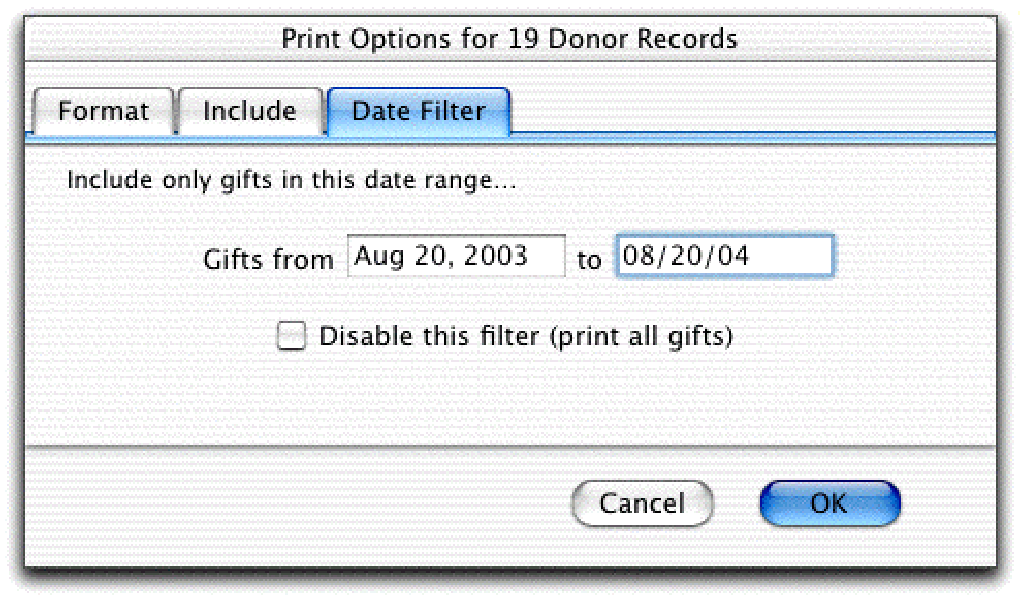
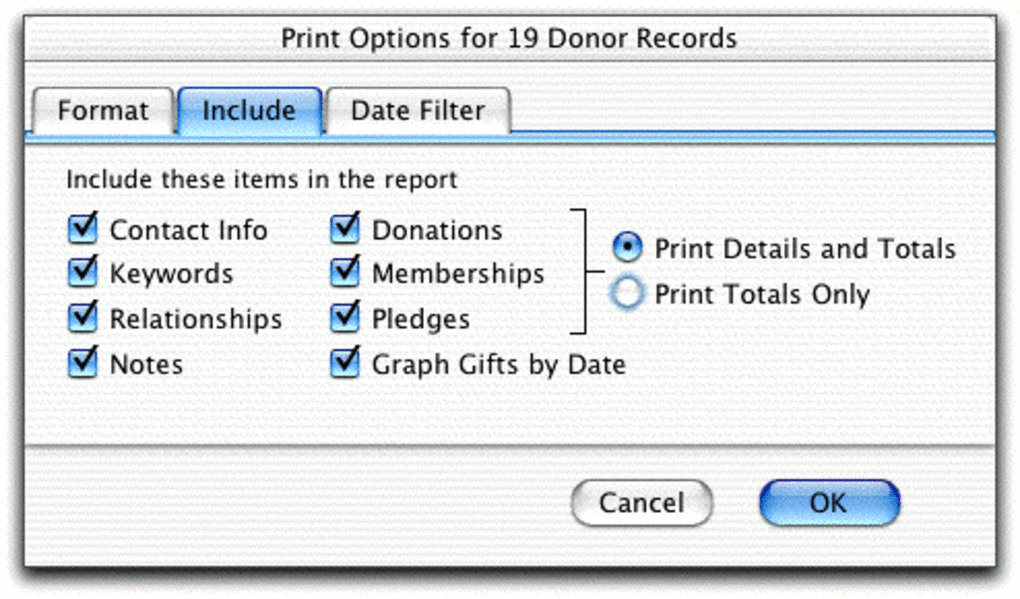
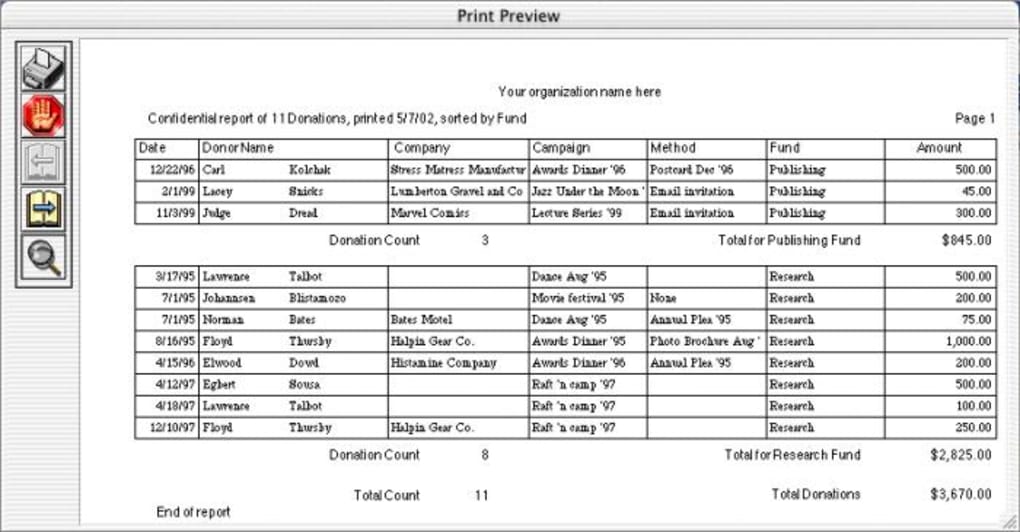
- Automated Reporting: Generate detailed campaign reports, donor contribution summaries, and tax‑receipt documents via a simple pull‑down menu—no manual spreadsheet work required.
- Donor Segmentation: Identify high‑value donors, track giving patterns, and create targeted outreach campaigns to maximize donations.
- Secure Cloud Backup: All data is encrypted and stored in the cloud, ensuring you never lose critical financial information.
Pros
- All‑in‑one platform eliminates the need for multiple disparate tools.
- Intuitive UI requires minimal training for volunteers and staff.
- Real‑time dashboard provides instant visibility into fundraising health.
- Free email support and extensive documentation keep costs low.
- Highly customizable templates save time on communications.
Cons
- Advanced analytics are limited to the built‑in reports; custom BI integrations require extra effort.
- No native mobile app yet; the web interface is responsive but not optimized for all handheld devices.
- Initial data migration from legacy systems may need manual cleanup.
Installation, Usage & Compatibility
Installing FUNDimensions is straightforward and can be completed in under ten minutes. The software is delivered as a secure downloadable installer for Windows and macOS, and a web‑based version that runs on any modern browser (Chrome, Edge, Firefox, Safari). Follow these steps to get started:
- Download the installer: Visit the official FUNDimensions website, click the “Download for Windows” or “Download for macOS” button, and save the .exe or .dmg file to your computer.
- Run the installer: Double‑click the file, accept the license agreement, and choose the default installation folder. The wizard will automatically configure the necessary database files and create a shortcut on your desktop.
- Create an admin account: Upon first launch, you’ll be prompted to set up an administrator username and a strong password. This account will have full access to all features, including user management and system settings.
- Import existing donor data: Use the “Import” tool to bring in CSV or Excel files containing donor names, addresses, and giving history. The fuzzy search engine will automatically match similar records and flag duplicates for review.
- Configure email settings: Connect FUNDimensions to your organization’s SMTP server to enable automated thank‑you emails and donor notifications directly from the platform.
Operating System Compatibility: FUNDimensions supports Windows 10, Windows 11, and macOS Catalina (10.15) or later. The cloud‑based version is platform‑agnostic and works on Linux, Chrome OS, and mobile browsers, though a dedicated iOS or Android app is currently in development.
Usage Tips: Start by setting up fundraising goals in the “Campaigns” module, then assign team members to specific tasks such as donor outreach, event logistics, or financial tracking. The real‑time dashboard will update automatically as donations are logged, giving you instant insight into progress toward your targets. Regularly review the “Reports” pull‑down menu to generate end‑of‑year tax statements for donors, which can be exported as PDF or sent via email directly from the platform.
FAQ & Conclusion
Frequently Asked Questions
Is FUNDimensions a cloud‑based solution or do I need to install software locally?
FUNDimensions offers both a downloadable desktop version for Windows/macOS and a fully cloud‑based web version. The cloud option requires no local installation and works on any modern browser.
Can I import donor data from other fundraising platforms?
Yes. FUNDimensions supports CSV, Excel, and JSON imports. During the import process the fuzzy search engine helps match existing records and highlights potential duplicates.
Is there a free trial or demo version?
A 30‑day free trial is available, providing full access to all features, including phone support. After the trial, you can continue using the software with a standard subscription plan.
How secure is my donor data?
Data is encrypted both in transit (TLS) and at rest (AES‑256). Regular automated backups are stored in secure data centers, and you can enable two‑factor authentication for added protection.
Can I customize the thank‑you email templates?
Absolutely. The template library is fully editable; you can insert merge fields for donor name, amount, campaign title, and personal notes before saving the customized version.
Conclusion – Why Download FUNDimensions Today?
For schools, churches, and small charities that operate on tight budgets, FUNDimensions delivers a professional‑grade fundraising suite without the steep learning curve or costly licensing fees of enterprise solutions. Its combination of event management, donor segmentation, automated reporting, and secure cloud backup empowers organizations to focus on donor relationships rather than spreadsheet gymnastics. The 30‑day free trial and ongoing free email support lower the risk of adoption, while the intuitive dashboard ensures that every stakeholder—from board members to volunteers—can see real‑time progress toward fundraising goals.
Ready to transform your fundraising process? Download FUNDimensions now and start planning more successful campaigns, thanking donors with flair, and tracking results with confidence. Experience the relief of having a single, secure platform that handles the accounting, communication, and event logistics so you can spend more time doing what you love—making a difference in your community.







